
DoorDash: Food, Grocery, More review
 Analysis by GetAllApps
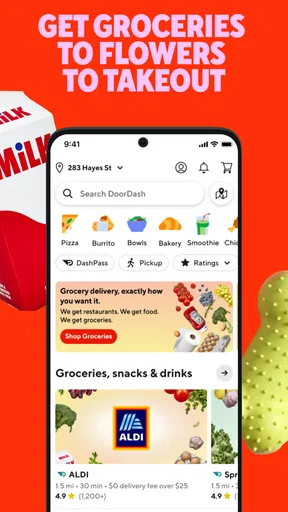
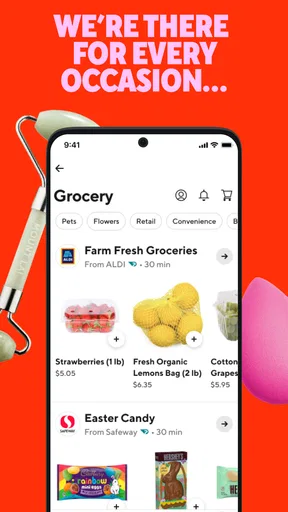
I reach for a delivery app when the alternative is spending my limited evening time deciding what to cook, driving to a shop, or making separate stops for dinner and a few basics. DoorDash is built for that kind of practical errand: it is a Food & Drink app from DoorDash that brings restaurant meals together with grocery and retail essentials. My impression is that its main strength is not any one order type, but the convenience of starting with a need and checking whether the app can handle it in one place.
From “what do I need?” to a workable order
The most useful way to approach DoorDash is to begin with the outcome, not with browsing. If I need dinner, I look for a meal; if I have run out of a household staple, I check the grocery or retail options. That simple distinction helps keep the app from turning a quick errand into an extended scroll through tempting alternatives.
For a realistic weeknight, imagine getting home late and realizing that dinner ingredients are missing. I can first see whether ordering a prepared meal is the sensible answer, or whether a grocery order would solve the problem better. The choice depends on what is available for my location and what I actually need, so I treat the app as a way to compare possible solutions rather than a guarantee that every shop or item will be on offer.
That broad scope is helpful, but it also asks the user to make a small decision before ordering: convenience now, or ingredients and essentials for later? I find that deciding this first makes the browsing more purposeful. It is a better fit for people who appreciate having food and everyday shopping in the same app than for someone who wants a narrowly focused restaurant directory.
Build the basket with the destination in mind
Once I know what I am trying to accomplish, I check the destination and the contents before moving on. This is a worthwhile habit for any delivery order, but it matters especially when I am switching between restaurant food, groceries, and retail items. A basket that looks right while browsing still needs to make sense for the people who will receive it and the moment it is meant to solve.
For a shared meal, I would settle the group’s choices before placing the order. That avoids treating the app as a substitute for coordination: one person may want a full meal, another may need a simple side, and a third may have a different preference. When the order is for groceries, I would likewise make a short list first. A prepared list reduces impulse browsing and makes it easier to notice if I have missed the essential item that prompted me to open the app.
I also recommend checking the order summary carefully rather than treating the basket as finished the moment the last item is added. The useful question is not only “Did I select what I wanted?” but “Will this order solve the original problem?” That final pause is a low-effort way to catch an unwanted extra or a missing necessity before the order moves to the next person in the chain.
The handoff is where convenience becomes real
Delivery involves more than the screen: the order has to pass from the restaurant or shop to the person bringing it, and then reach the customer. I think about that handoff when I choose what to order. A meal that needs to arrive in good condition is a better candidate for a straightforward delivery than a complicated order that depends on several special requests being interpreted perfectly.
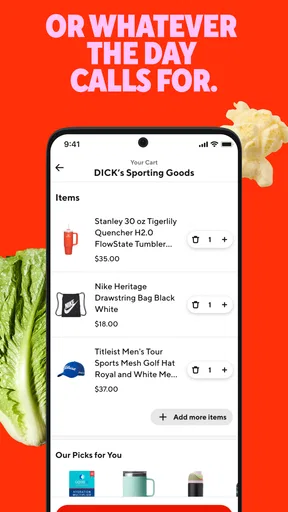
For groceries and essentials, I would be particularly deliberate about the items that matter most. If one key ingredient is the reason for the order, it is sensible to consider whether the whole plan still works if that item cannot be supplied. That is not a criticism unique to DoorDash; it is a basic trade-off of asking someone else to shop on your behalf. The more flexible the intended meal or errand, the less a single unavailable item can derail the result.
DoorDash’s value is clearest when the delivery handoff saves a trip that would otherwise interrupt the day. If I am already at a shop or passing a restaurant, collecting an order myself may be the simpler choice. But if I am working, caring for someone, or simply trying to avoid another journey, the delivery option can make the difference between handling the task now and putting it off.
What the order changes—and what it does not
A successful order is not just one that arrives; it is one that fits the situation. Restaurant delivery solves the immediate “what is for dinner?” problem, while grocery or retail delivery can cover a practical gap at home. Having these needs represented in one app may reduce the mental overhead of switching between separate services, although it does not remove the need to compare options and make a sensible choice.
I would use it for a busy evening, a forgotten pantry item, or a small household need that cannot wait for the next planned shop. I would be less inclined to use delivery for a large, carefully planned grocery run if I wanted to inspect produce or choose substitutes myself. In that situation, shopping in person—or using a dedicated grocery service whose process suits my preferences better—can offer more direct control.
The app is free to download, and its Everyone age rating makes it broadly suitable for general audiences. DoorDash’s current version is 15.298.4, with Android support beginning at version 8.0. Those details are useful when deciding whether an existing device can run it, but the practical experience still depends on the shops and restaurants available where the customer is ordering.
Where DoorDash fits among the usual alternatives
Compared with ordering directly from a restaurant, DoorDash offers a wider starting point: I can consider different meal sources and also look beyond prepared food. Direct ordering may be preferable when I already know exactly where I want to eat and want to deal with that business directly. DoorDash makes more sense when I am still deciding or when I want food and everyday shopping options close at hand in the same service.
Against a traditional grocery trip, the trade-off is straightforward. Delivery saves travel and time spent in the shop, but shopping in person gives me immediate control over what goes into the bag. For a couple of forgotten basics, convenience can outweigh that loss of hands-on selection. For a full shop where freshness, exact brands, or substitutions are central to my plan, I would think carefully before relying on delivery.
The same distinction applies to retail essentials. DoorDash can be useful when the errand is small and timely, but it is not automatically the best choice for every purchase. If I need to compare products closely, prefer to browse a specialist retailer, or can easily pick something up on my way home, another route may be more satisfying. The app is strongest as a practical shortcut, not as a reason to outsource every routine task.
Small habits that make the workflow smoother
My first tip is to decide whether I am solving an immediate meal problem or a shopping problem before opening the app. That sounds obvious, but it prevents a mixed-purpose browse from becoming unfocused. If I need both dinner and a household item, I would check whether combining my planning is genuinely convenient rather than assuming that one order will cover everything in the ideal way.
My second tip is to keep a short, flexible backup plan for groceries. If the central ingredient is unavailable, a meal that can adapt is less frustrating than one that depends on a single exact item. This is especially useful when ordering for several people: agree on an acceptable alternative in advance, rather than making the delivery handoff carry the burden of resolving a disagreement.
Third, I would place an order when I can pay attention to the summary and be ready for the delivery. Rushing through the final check is an avoidable source of mistakes, while being unavailable at the expected handoff can make a convenient order less convenient. These habits do not require extra tools; they simply make the transition from choosing items to receiving them more predictable.
When the flow breaks
The biggest limitation is that a broad delivery app cannot make every local option equally useful. What I can order depends on the restaurants and shops serving my area, and a category that looks appealing in principle may not solve the exact errand I have. I would check what is actually available before building a plan around a particular meal or item.
There is also a loss of direct control whenever another person handles the pickup or shopping. A restaurant order can be less satisfying if a small detail is important to me, and a grocery order may require flexibility if my preferred item is not available. If I need certainty more than convenience, calling a business directly, shopping in person, or choosing a service tailored to that specific task may be the better option.
Finally, delivery is not automatically worth choosing just because it is easy to start an order. For a nearby pickup, a single item I can collect quickly, or a purchase I want to inspect myself, the usual alternative may be faster or more comfortable. I see DoorDash as most useful when avoiding the trip has real value—not as a universal replacement for cooking, collecting food, or doing a regular shop.
My recommendation for a first order
DoorDash has a substantial audience: it has more than 50 million installs, a 4.7 average from around 6.3 million ratings, and roughly 711,000 reviews. Those figures suggest that many people use it, but they do not settle whether it fits a particular routine. I would judge it by a simple first test: choose one realistic need, check the options available nearby, and see whether the delivery solves that need with less hassle than the alternative.
Overall, I recommend it to people who value having restaurant food, groceries, and retail essentials within one delivery-oriented app, especially when work or home responsibilities make an extra trip inconvenient. I would skip it—or use it selectively—if I prefer to choose every item myself, already have a better direct option, or find that the available local choices do not match my needs. For me, its strongest use is turning a specific, time-sensitive errand into a manageable order; the best results come from planning the handoff as carefully as the basket.
Pros and cons
Pros
- Order food and groceries from one app.
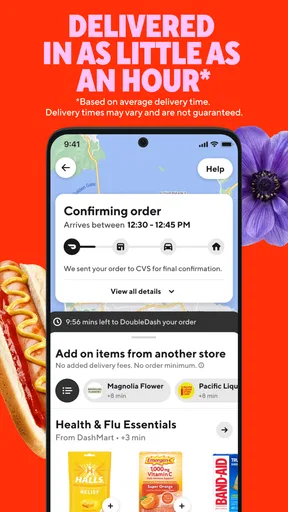
- Delivery tracking shows the order's progress.
- Pickup is available at participating restaurants.
- A wide selection makes it easy to compare nearby options.
- Saved addresses help speed up repeat orders.
Cons
- Delivery availability varies by location.
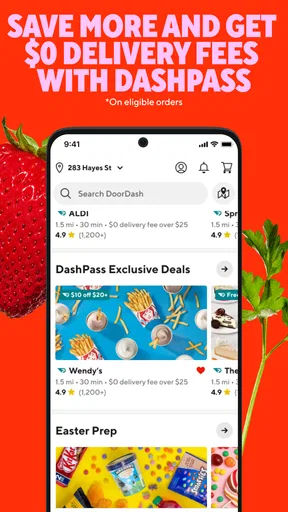
- Fees can make small orders expensive.
- Prices may be higher than in-store prices.
- Busy periods can lead to longer wait times.
- Some restaurants have minimum order requirements.


